





















































Promotion extensions in Google Ads are the not-so-secret weapon driving an average click-through rate (CTR) of nearly 10% for advertisers—far surpassing typical ad benchmarks. For ecommerce brands, Google Promotions are a powerful way to grab attention and drive clicks, especially during peak shopping seasons. And yet, too many advertisers fail to fully capitalize on them, either bogged down by the complexities of setup or confused by the management of it all.
Google's hoping to change that with a new Merchant Center "Sale Event" promotion type that automatically displays your discounts and deals across Google Shopping, Search, YouTube, and Display ads.
In this article, we’ll show you how easy it is to set up the new "Sale Event" promotion type and break down how it simplifies the process of showcasing your discounts across the Google Ads ecosystem. You’ll learn how this feature works, why it’s a game-changer for ecommerce advertisers, and actionable tips to maximize its impact on your campaigns. Whether you’re looking to save time on setup or boost your seasonal performance, this guide has you covered.
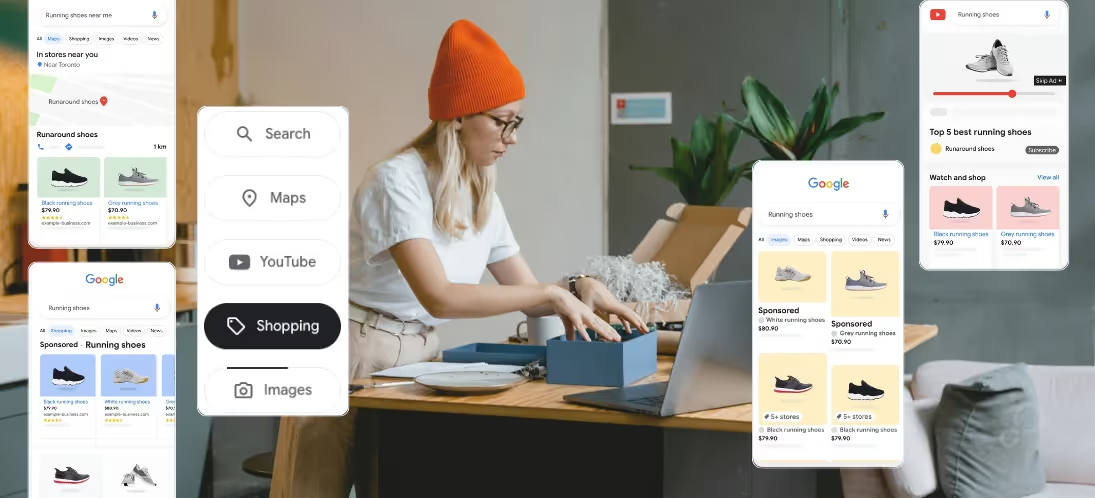
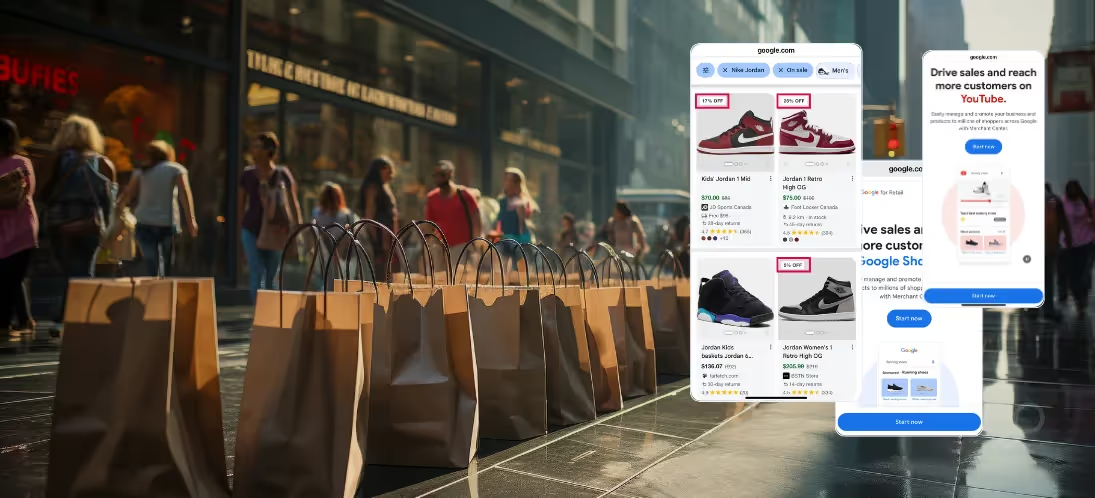
Sale Event promotions tag your products with time-sensitive offers that catch shoppers' attention during peak buying seasons. When customers search for deals on Google Shopping, your tagged items stand out with special sale labels and promotion details.
Unlike standard promotions, Sale Events:
Google's algorithm gives extra weight to Sale Event tags during high-traffic shopping periods - precisely when customers are most likely to compare prices and make purchase decisions. This means your discounted products surface more often in relevant searches during critical sales windows like Black Friday, holiday shopping, or seasonal clearance events.

Sale Events boost your promotional reach beyond Google Shopping. Your tagged deals automatically appear across Search, YouTube, and Display networks - multiplying exposure without extra setup. Here's what this means for your multichannel strategy:
When shoppers search for deals, your promotions appear everywhere they look in Google's ecosystem. This automatic distribution helps capture customers whether they're:
Sale Events sync perfectly with your existing promotional calendar. Tag products once in Merchant Center, and Google promotes them across all channels during your designated sale period. This ensures your Black Friday, holiday, or clearance promotions reach customers through every available touchpoint.
[Maximize your cross-channel reach with these top PMAX strategies.]
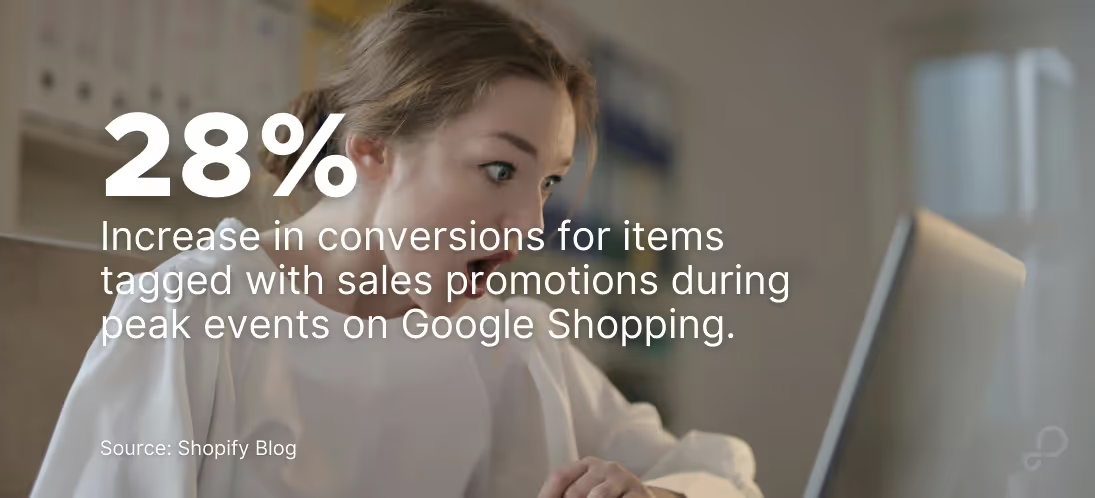
Three key factors drive Sale Event success: timing, product data quality, and pricing strategy.
Plan Sale Events around proven shopping peaks:
Google uses your product attributes to match deals with interested shoppers. Include:
Track competitor pricing and adjust your deals to stay competitive:
[Check out best practices for promotions on Google Merchant Center to increase visibility.]
Getting your promotions in front of eager shoppers used to require multiple campaign setups across Google's platforms. Now, Sale Events push your deals everywhere that matters in just minutes. Here's how to get started.
The setup of your first Sale Event can be done in just three steps:
But before diving into the setup, you’ll need to gather these essential details:
Now, here's your step-by-step setup process:
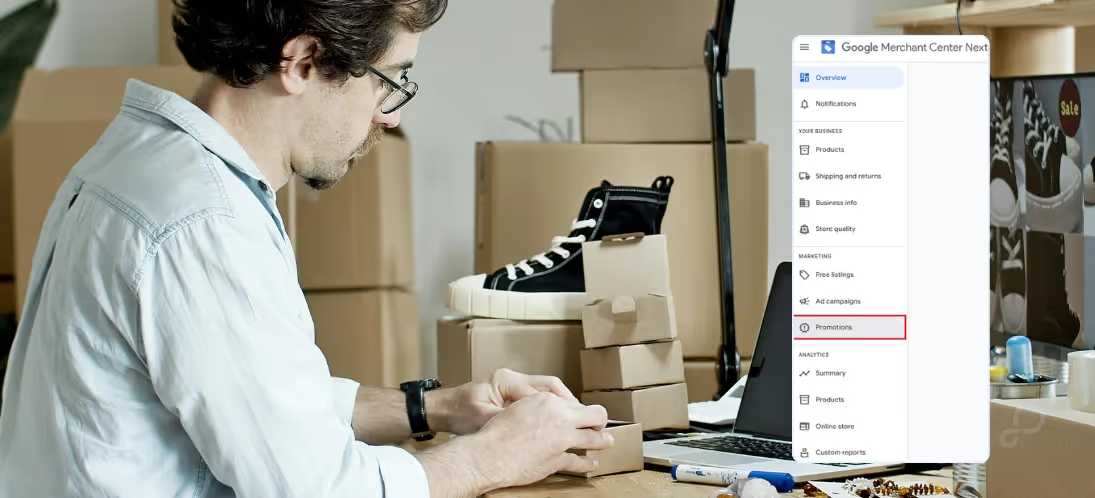
Log into Merchant Center and navigate to "Promotions" in the left menu. If you don't see the Promotions tab, check your account status - you'll need a verified domain and updated product feed.
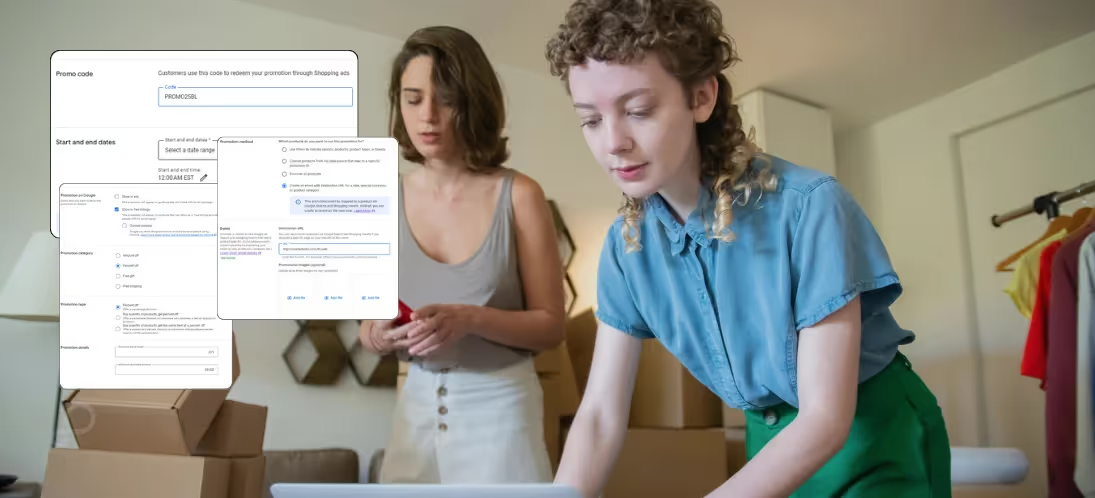
Choose "Sale Event" and build your promotion:
[Learn how GoDataFeed Import Rules can help manage and automate your product selection.]
This final step is your quality check before going live.
A thorough review now prevents scrambling to fix issues while shoppers are actively searching for deals. Take a few minutes to verify your sale details, then launch with confidence knowing your promotions will display correctly across Google's entire shopping ecosystem.
[Discover how our Feed Scheduler Feature can simplify your promotion scheduling and automate your marketing processes.]
Raw sales numbers only tell part of the story. To truly understand your Sale Event's impact, dig into these key performance indicators:
Click-through rates paint a clear picture of your promotion's appeal. Compare how often shoppers click your Sale Event listings versus regular product listings. A healthy lift during sale periods typically ranges from 15-30%. If you're seeing less, your sale prices or product selection might need adjustment.
Conversion rate changes reveal whether your deals actually drive purchases. While click-through rates might spike during a sale, conversion rates tell you if those clicks become customers. Track both metrics side by side - a surge in clicks without corresponding sales could mean your landing pages aren't matching shopper expectations.
Revenue per click helps balance discount depth against profit margins. A 50% discount might drive massive traffic, but if your revenue per click drops by 60%, you're leaving money on the table. Test different discount levels on similar products to find your sweet spot between traffic and profitability.
Pro Tip: Compare your Google Analytics data with Sale Event performance. Track how many shoppers:
Smart testing before major shopping events like Black Friday can mean the difference between modest sales and record-breaking revenue. Here's how to run effective tests:
Start with a small product group and test three discount tiers:
Track each tier's performance for at least a week to gather meaningful data. Pay special attention to how different discount levels affect your profit margins and total sales volume.
Rather than running blanket sales across your catalog, test these grouping approaches:
Most merchants find that focused sales on specific categories outperform store-wide discounts, both in terms of conversion rates and average order value.
Promotion Timing Test different promotion lengths and start times:
Data shows shoppers often browse during weekday evenings but complete purchases on weekend mornings. Schedule your sales accordingly.
[Read more on how to conduct A/B testing to optimize your discount strategies for better impact.]
Your Google Sale Events playbook is set. You know how to time your promotions, tag products effectively, and track what's working. The next big shopping season is your chance to put these tools to work. Set up a test promotion this week — even a small one — and watch how your deals perform across Google's shopping ecosystem. Your competitors are probably still figuring this out. That's your advantage.
Bryan is a digital marketer with roots in journalism and creative writing. Over the past decade, he's helped hundreds of online retailers develop and implement ecommerce marketing strategies. When he isn't educating retailers on ecommerce, he's out exploring South Florida and stalking local breweries.
Run a free feed audit and see which of your titles are matching queries you'd never choose to bid on.

.avif)