




















































Platform / Features /
Scheduled imports
Feature · Ingest & catalog
Not the platform's.
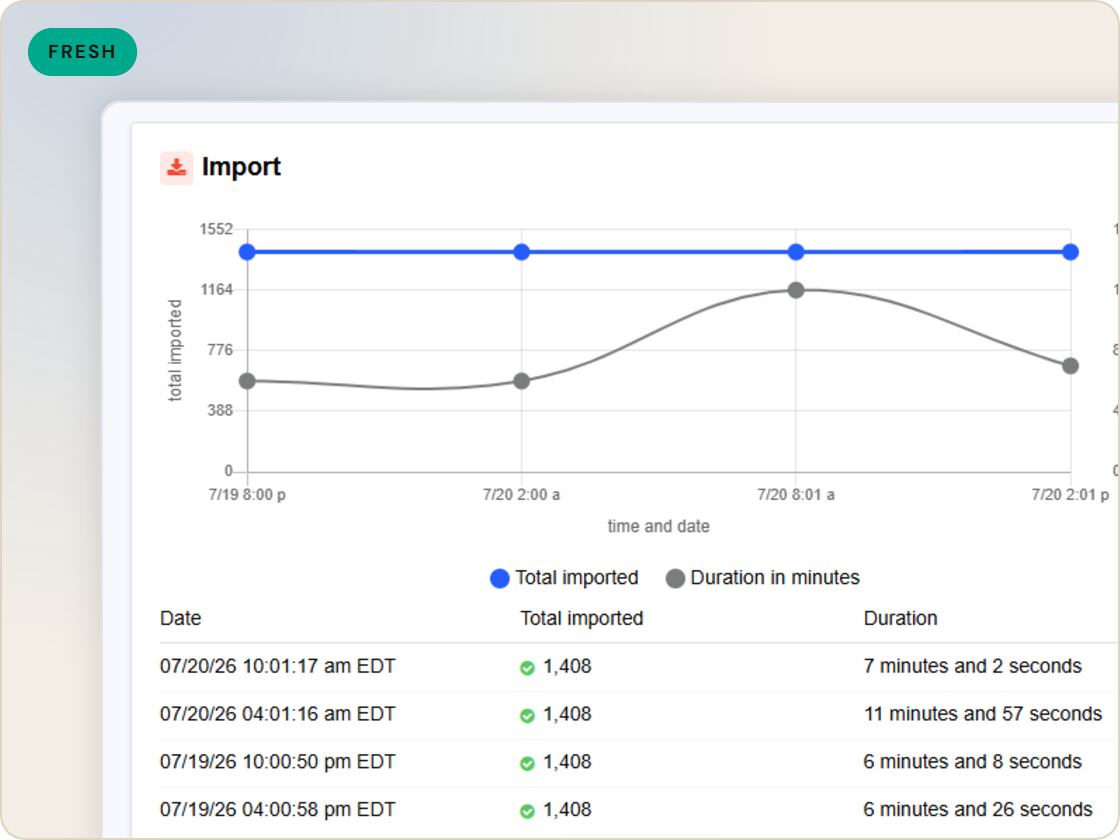
Feeds are only as fresh as the import behind them. Scheduled imports pull your catalog on the cadence you set and run before submissions compile, so every feed ships from current data.
The difference
Without GoDataFeed
With GoDataFeed
How it works
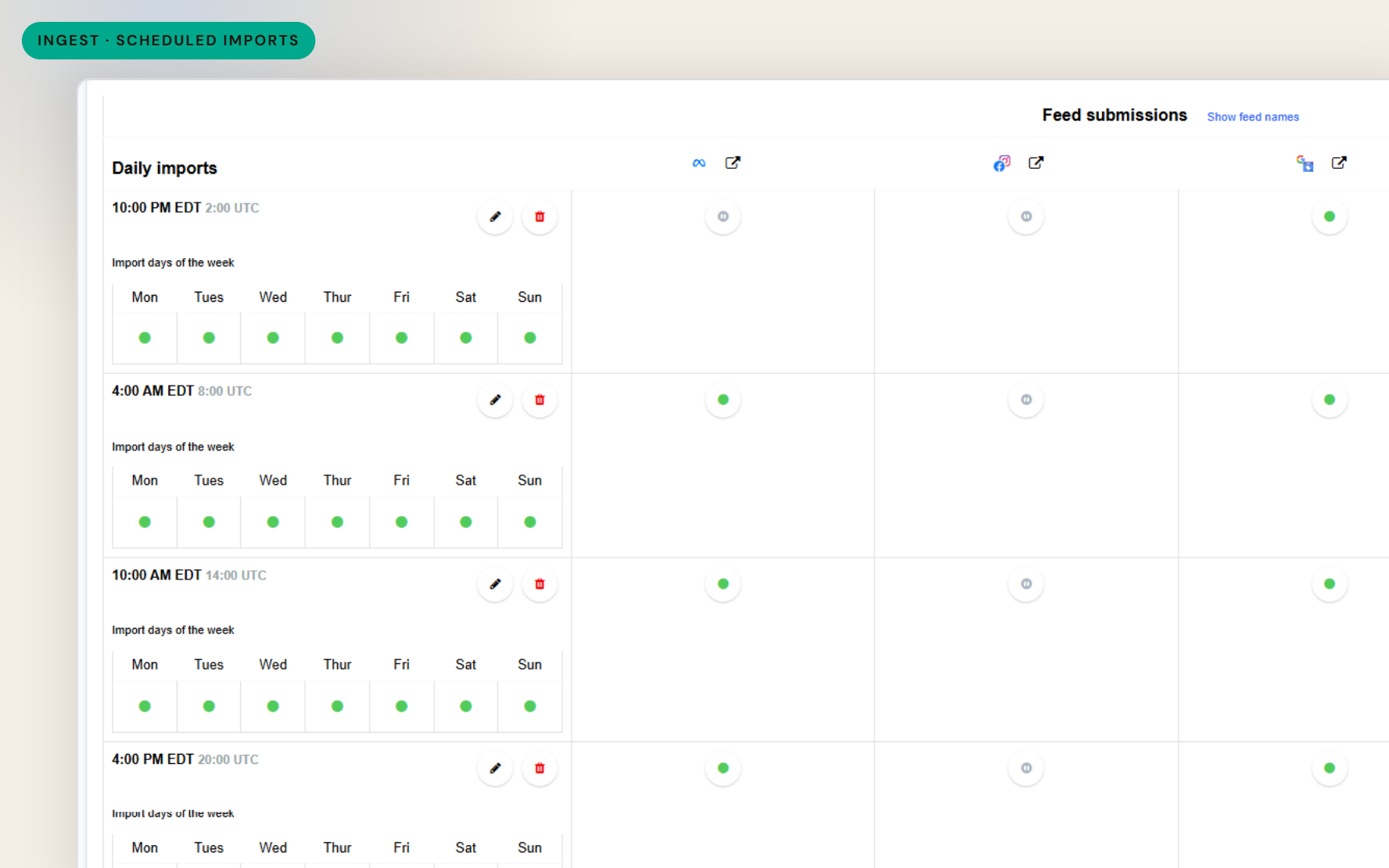
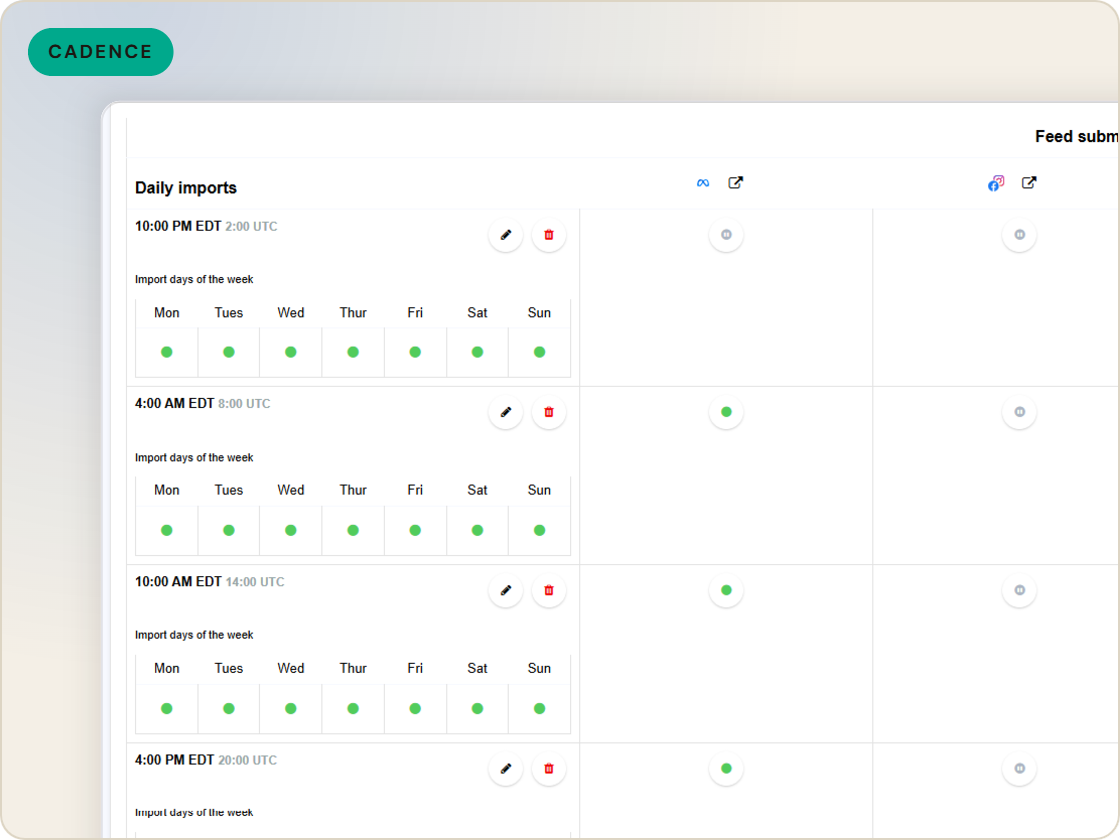
Imports run on the schedule you set - per source, before every submission.
Benefits
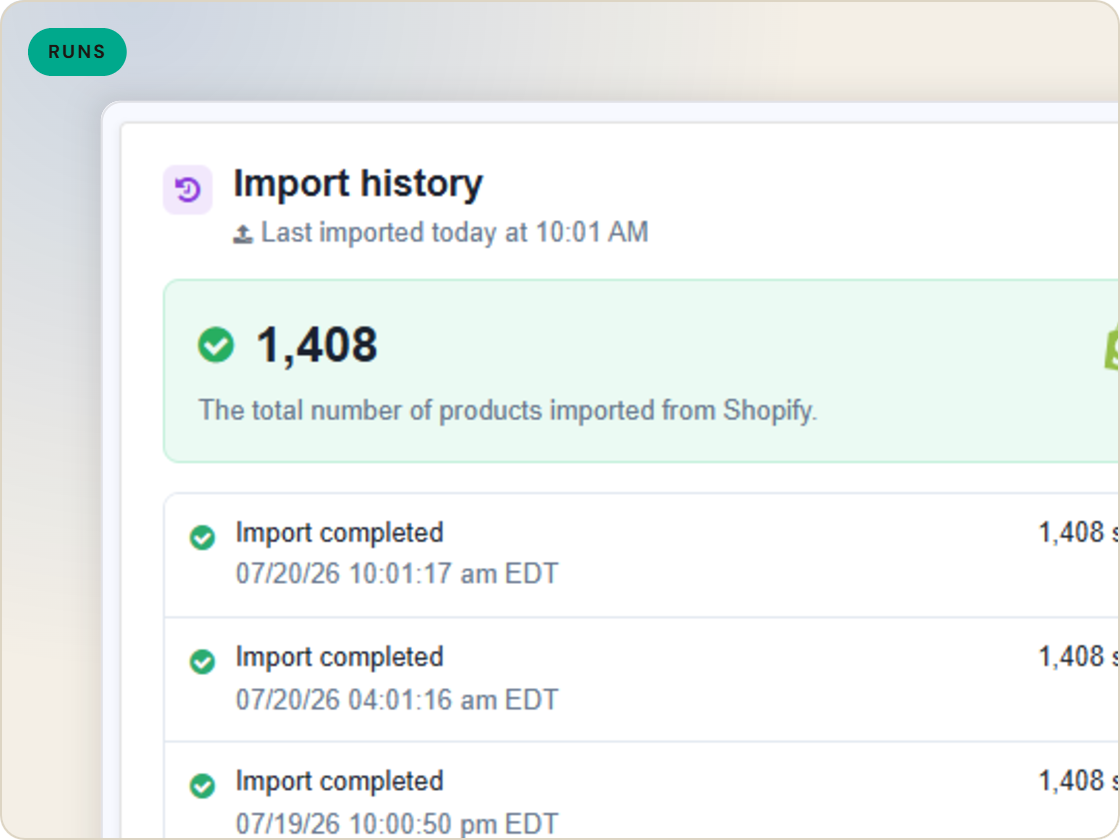
Every submission compiles from the latest import.
The schedule runs whether or not anyone remembers.
Volatile sources refresh more often than stable ones.
A failed import emails you instead of hiding.
Channels receive updates at known times.
Set the sequence once and monitor by exception.
Capabilities
Each import source keeps its own schedule, so fast-moving data can refresh more often than the default daily run.
Feed submissions are timed after the catalog import - import, compile, submit, in that order, every run.
Email alerts on import success or failure mean a broken pull gets caught before the next submission ships stale data.
Feature · Ingest & catalog
Pull your product catalog on the schedule you set, sequence submissions after each import, and get email alerts when a run fails.
Scheduled imports
of six.
Pull each source on schedule.
1
Ingest the catalog whole, variants intact.
2
Fix attributes once, at catalog scale.
3
Maintained mappings for 200+ integrations, current when specs drift.
4
Catch errors before they ship, while they're free.
5
Push validated feeds on schedule, price and stock current.
6
Read every channel' feed's verdict back on one screen.
Questions
At the times you set. The platform default is a daily run, and additional imports can be scheduled when your catalog changes faster.
Schedule submissions after the import completes - the feed compiles from the freshly imported catalog before it ships.
An email alert goes to the addresses you list, so the failure is known before the next submission window.
Start a 14-day trial or book a demo — we'll audit your feed free and show you your diagnostics baseline.
Also in the box
needs.
Eligibility drops and sync failures to email or Slack, thresholds yours.
Every published version diffable — what changed, when, by which rule.
The same rulebook checks, run before publishing instead of after.
Each channel error mapped to its fix, linked from the row.
Weekly eligibility digest per store, for the people who don't log in.
Diagnostics data in your own BI, if that's where your team lives.
