


















































Feed Forensics — Issue 01
Errors
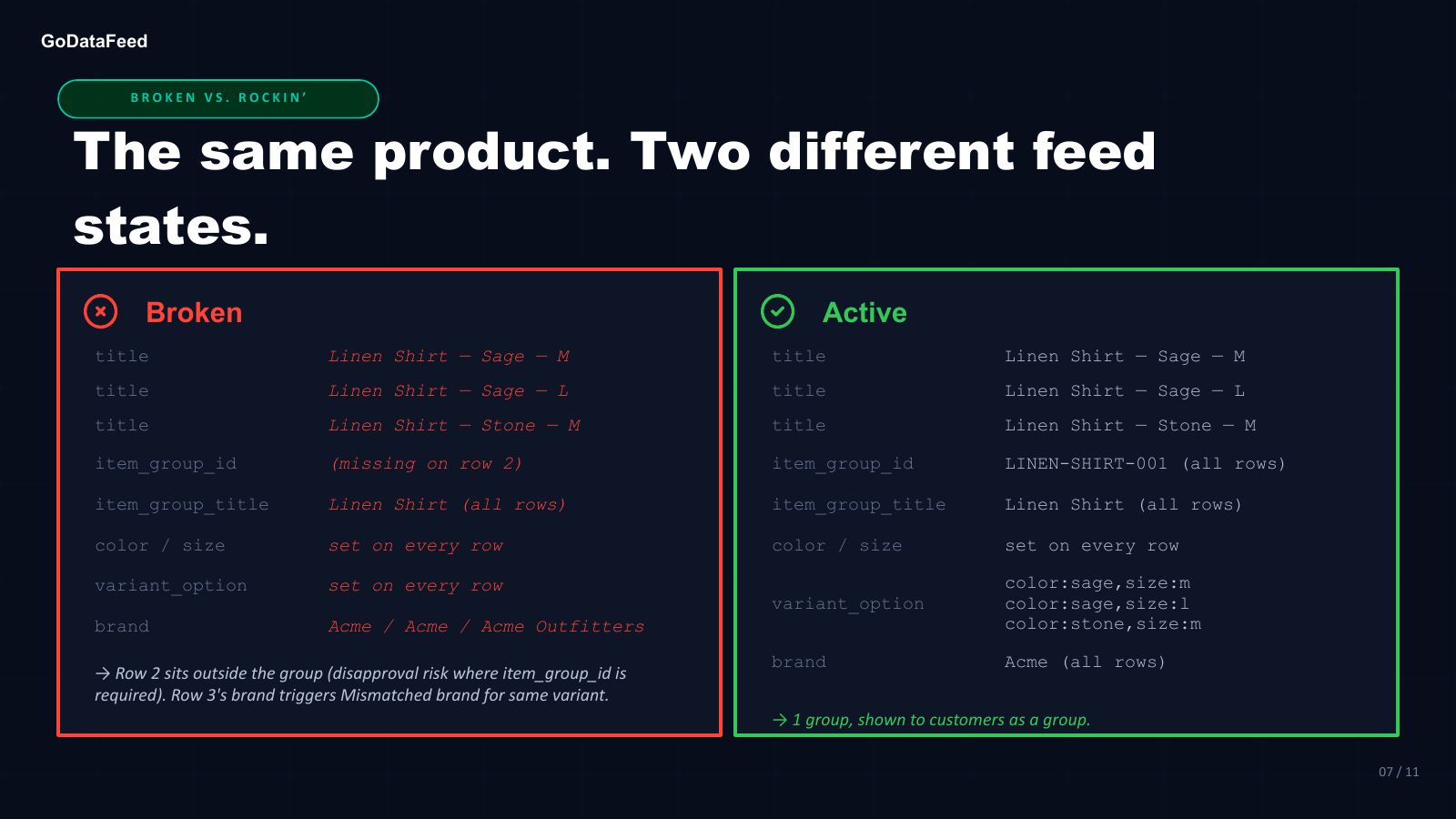
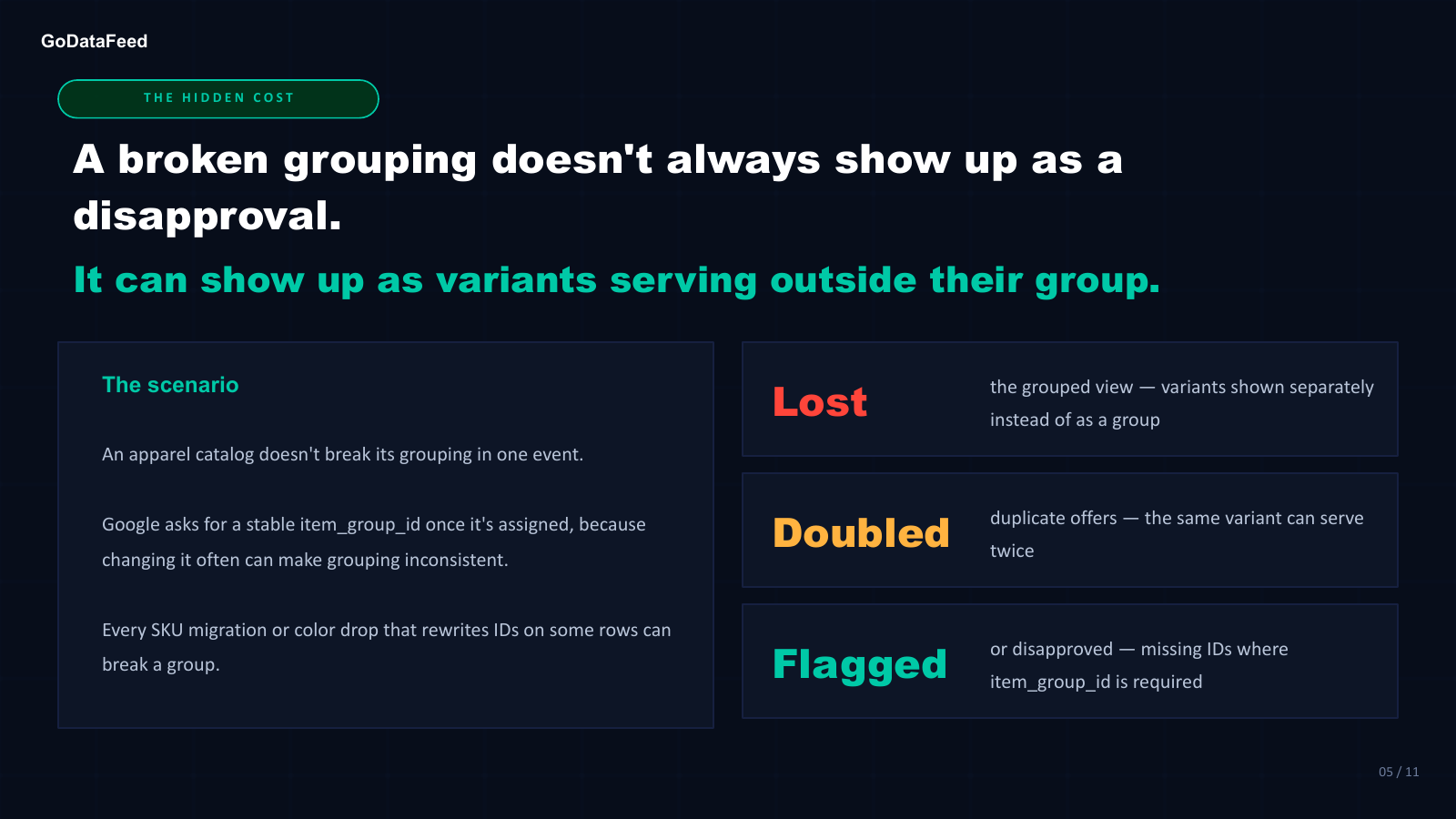
Google groups variants through item_group_id. When the grouping breaks (mismatched IDs, missing IDs, rows with no differing variant attribute), variants can be shown separately, serve as duplicate offers, or get disapproved. Some of it shows up in Needs attention. A mismatched ID may not.
Key finding
Every size and color of a product goes to Merchant Center as its own row. The item_group_id attribute turns those rows into one listing. Every child in the family carries the identical value, up to 50 characters. Google then checks that the children differ on at least one variant attribute: size, color, pattern, material, age group or gender, with variant_option naming any other property that varies. When both hold, shoppers see one listing with size and color options. When either breaks, the family can split.
Each Feed Diff below shows one row-level fault and what Google does with it.
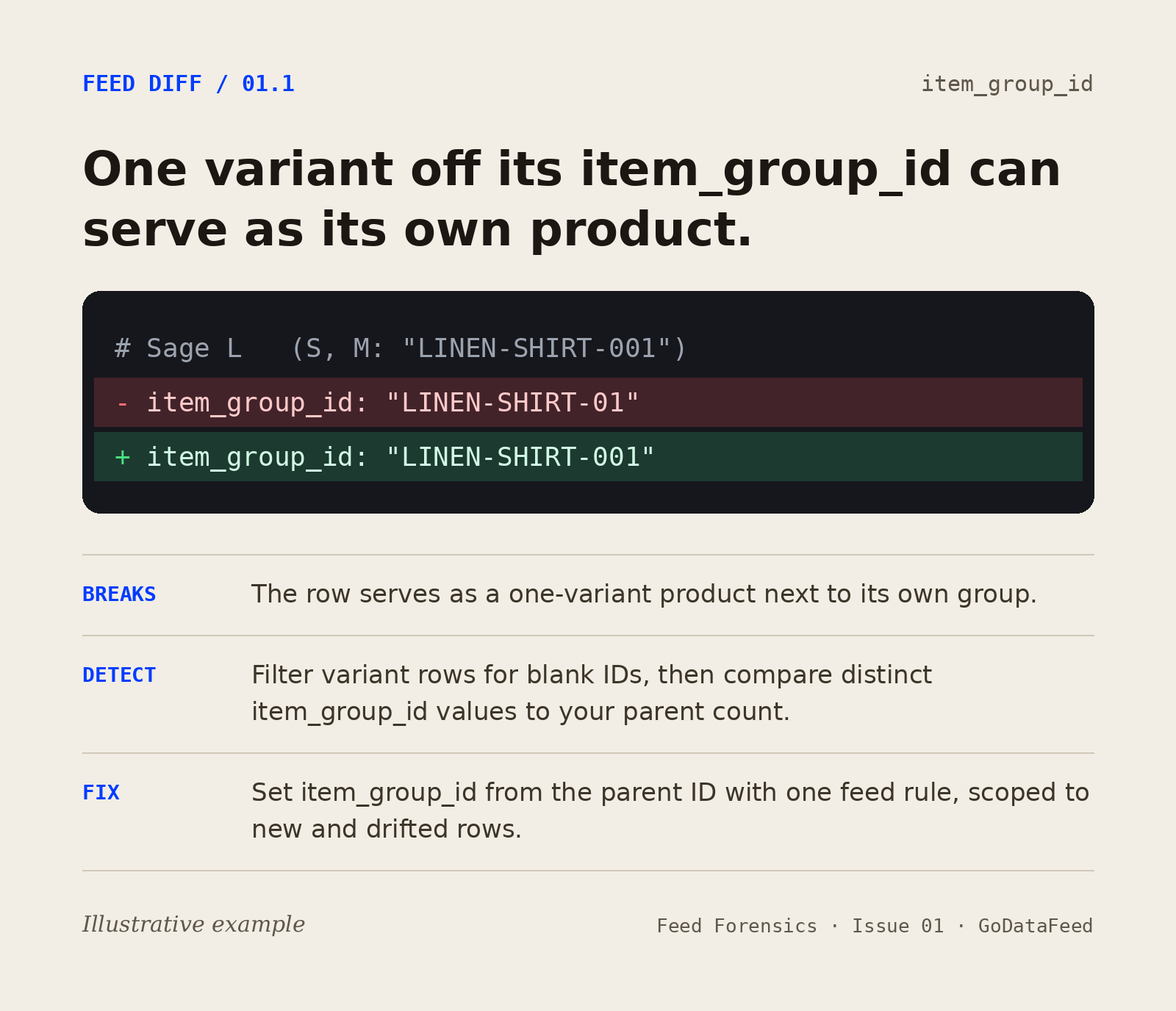
Feed Diff 01.1: A child’s item_group_id is one character off. Google treats it as a separate group, and it can serve as its own product.
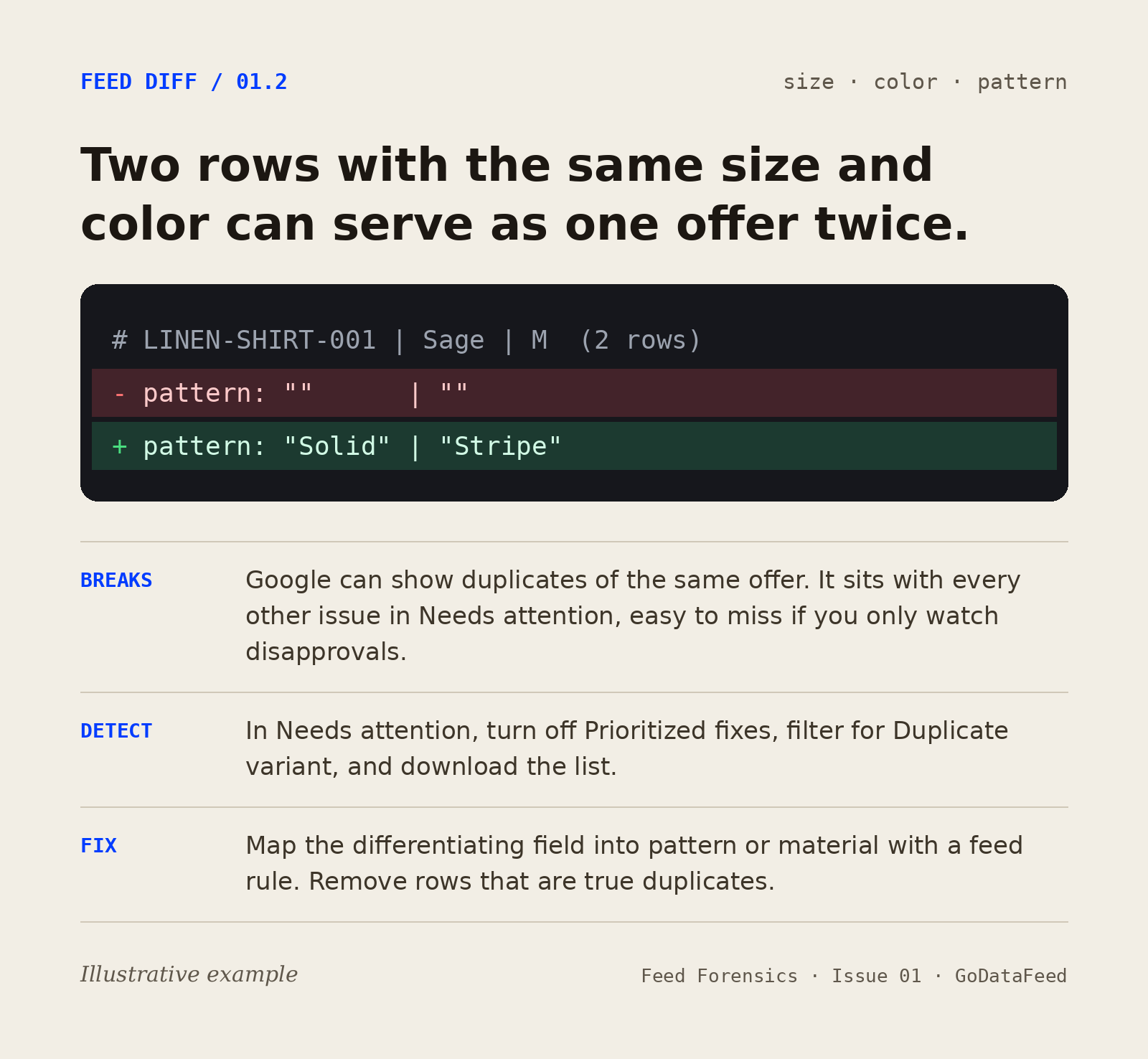
Feed Diff 01.2: Two rows share a size and a color, and neither carries the pattern value that tells them apart. Merchant Center flags Duplicate variant, and Google could show the same offer twice.
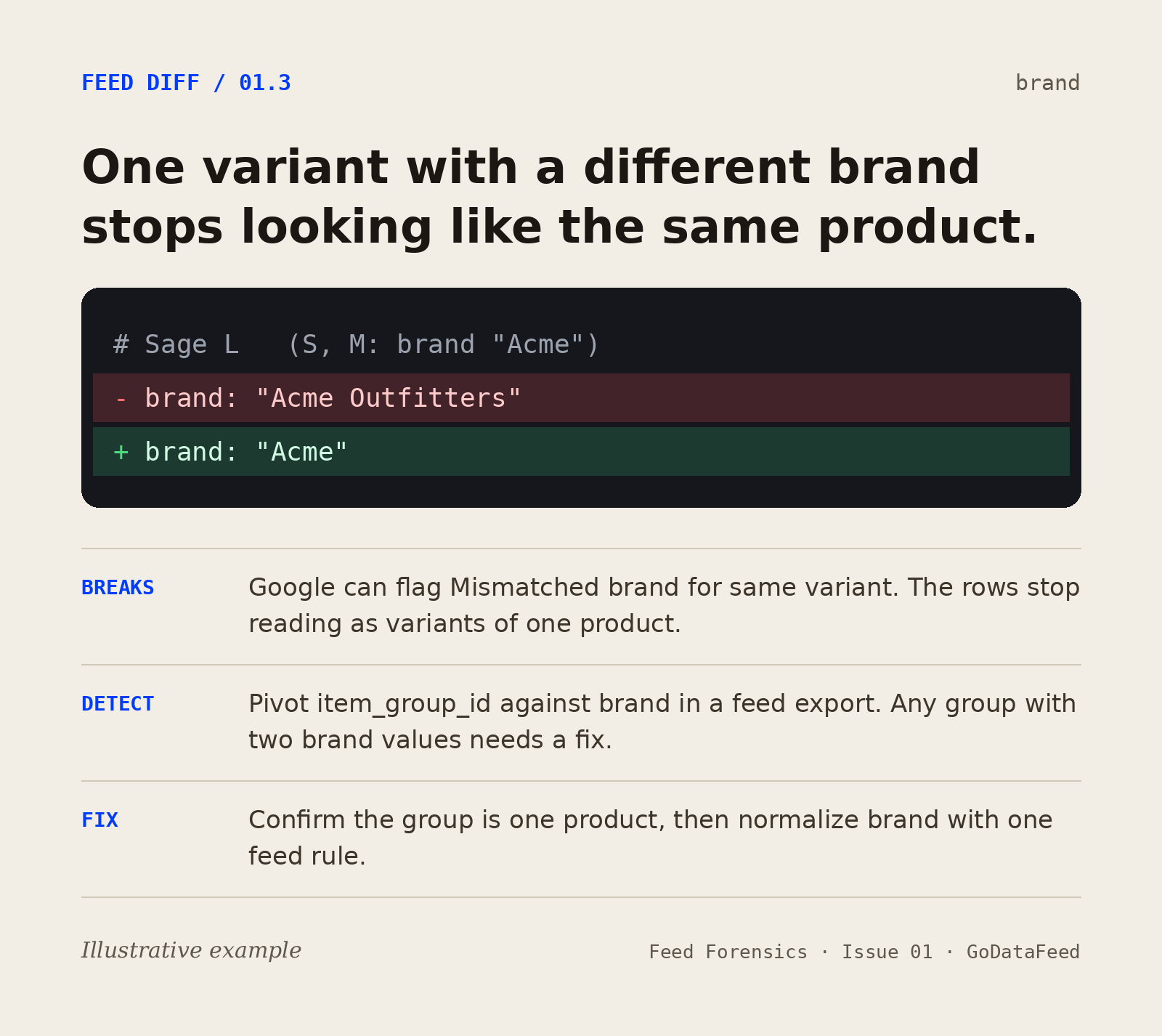
Feed Diff 01.3: One variant carries a different brand value from the rest of the family. Merchant Center can flag Mismatched brand for same variant, and the rows stop reading as one product.
A missing item_group_id can be disapproved where it's required. Duplicate variant and Mismatched brand for same variant show up in Needs attention, so turn off Prioritized fixes when you look. A mismatched item_group_id is still a valid value: unless the row shares a brand and MPN with its group, nothing may flag it, and the row can serve as its own product. The deck shows how to audit every family from a feed export and validate it before the feed ships.
6
Standard variant attributes Google uses to tell variants apart: size, color, pattern, material, age group, gender. variant_option names any other property that varies.
50
Character limit on the item_group_id field; every child in a family must carry the identical value
1
Character of difference in item_group_id is enough for a variant to serve as its own product. Casing doesn't count.
A mismatched variant doesn't always show up as broken. Sometimes it shows up as a product serving on its own.
Lin Grosman
item_group_id requirements and supported variant attributes per Google Merchant Center product data specification.
Inside the guide
How Google groups variants with item_group_id, item_group_title and variant_option · The six standard variant attributes · Broken vs. correct grouping, side by side · What Merchant Center flags, and what it may not · A four-step audit from a feed export and the Needs attention tab · Validation before the feed syncs
50
Character limit on the item_group_id field; every child in a family must carry the identical value
1
Character of difference in item_group_id is enough for a variant to serve as its own product. Casing doesn't count.
FAQ
Open Products > Needs attention in Merchant Center, turn off Prioritized fixes, and filter for Duplicate variant and Mismatched brand for same variant. A missing item_group_id can show up as a disapproval. A mismatched ID may not be flagged, so count distinct item_group_id values in a feed export and compare that number to your parent-product count.
No — only true variants of the same product (same item, different size/color/etc.). Related products, matching sets, and different styles should not share a family.
Yes. Every child should carry the same variant attributes and variant_option names, with its own combination of values. If the family varies by color, every child needs a color value. Rows that don't differ on any variant attribute trigger Duplicate variant.
In this guide
Keep reading
Drop your feed into Feed X-Ray. The scan flags broken item_group_id families, missing variant attributes, and the SKUs serving disconnected — free, no account needed.