





















































Every product in your feed carries a title, and a title's structure is usually inherited from the store's product page. That naming convention was written for a human browsing your site, not for the way Google matches a listing to a search.
Google reads the title as its primary signal for what a product is and which queries it belongs in. It reads left to right, and the tokens near the front carry the most weight. About the first 70 characters render in a placement before truncation [Source: Store Growers, analysis of 151 Shopping ads, 2026], so whatever sits in that opening window does the heavy lifting for both match and click-through.
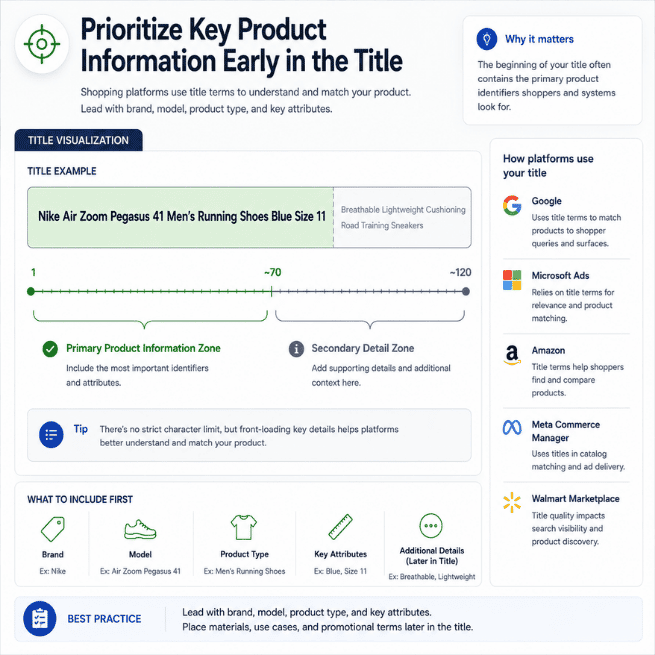
That opening window is where titles quietly go wrong. A lot of the feeds we see lead with a collection name, a season code, or an internal SKU, then push brand and product type behind it. The attributes shoppers actually type — color, size, gender, age group, material — land past the truncation point or never make it into the title at all. One template runs across every category, so a structure that works for outerwear gets applied to footwear and accessories that shoppers search in completely different ways.
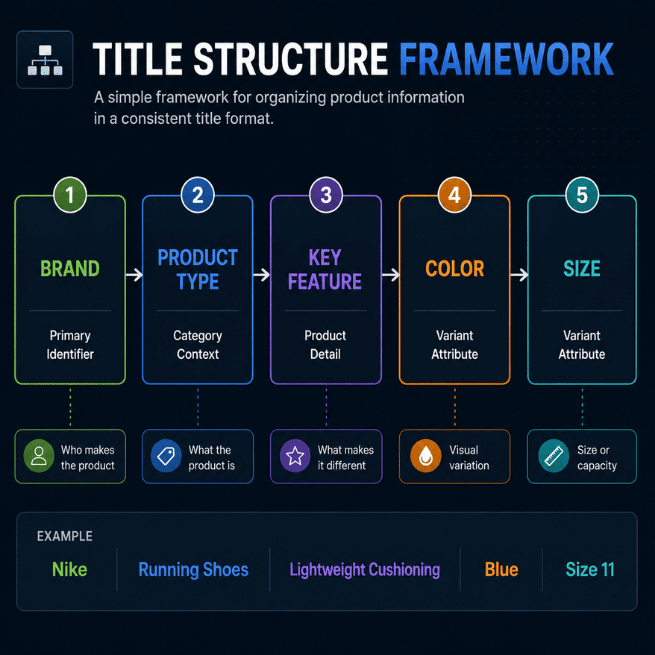
None of this trips a disapproval — the product still serves, just against the wrong searches, while the listing built for the right query takes the slot.
The order of those tokens decides which auctions you enter, which is why swapping in better adjectives rarely moves anything and restructuring the title does.
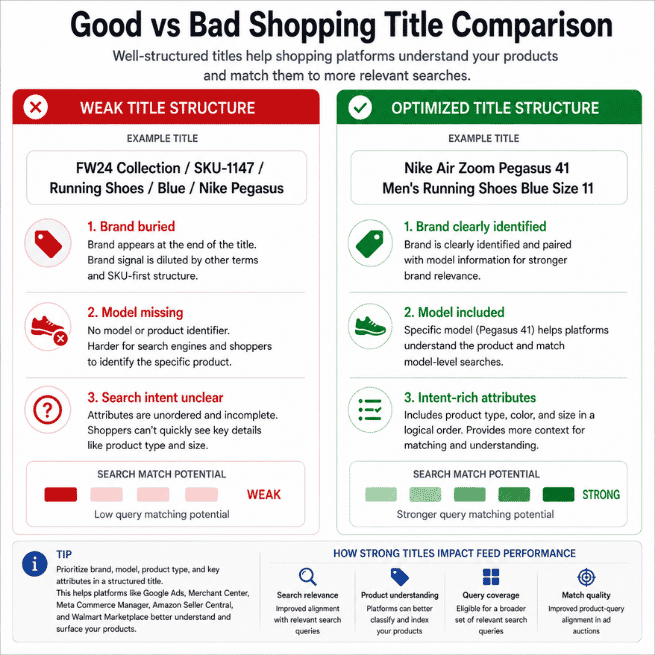
A weak title rarely announces itself, because the damage lands in your performance metrics instead of your diagnostics tab.
You match low-intent queries. When the front of the title is generic, Google pairs it with broad, loosely related searches. You collect impressions and clicks from shoppers looking for something similar, and the listing that led with the exact product never had to outbid you.
You train Smart Bidding on the wrong buyers. Every impression a title earns becomes input for Performance Max and Smart Bidding. Low-intent traffic teaches those models to chase conversions that resemble yours but close at a lower rate, and budget follows that bad data deeper into the wrong audience.
Your impression share stalls where it counts. On the queries you actually want, a vague title keeps you behind the listing with cleaner tokens. Raising bids doesn't close the gap, because the gap is in the signal, not the spend.
By the time you notice this, it looks like a bidding or a creative problem. A lot of Pmax debugging happens at the campaign layer — budgets, audiences, asset groups — when the constraint sits one level down, in how the title is built.
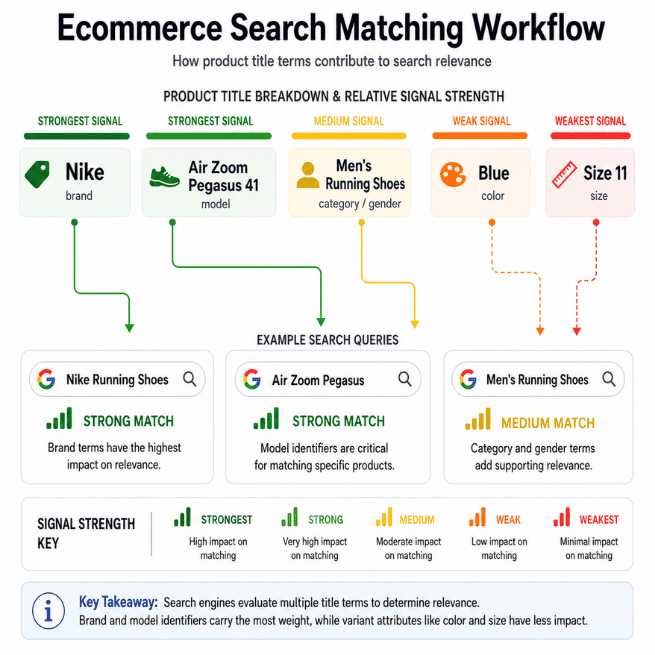
The frustrating part is that the evidence is already in your account. Your Search Terms report shows the queries your products are matching, and you can line those up against the titles of the products that should be winning them. The mismatches are your rewrite list.
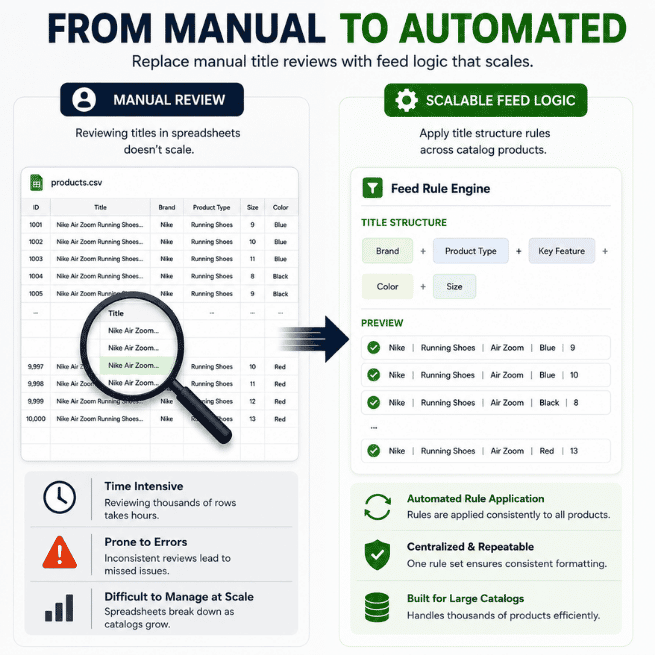
Updating titles requires an automated routing engine, not a manual spreadsheet. Doing it by hand is where it falls apart. Across thousands of SKUs, on a catalog that changes every sync, reading queries against titles and rebuilding them in a consistent order — then holding that order stable as new products drop — is a full-time job. Fixing titles after they've already trained your bidding on the wrong traffic only cleans up a cost you already paid.
There's a repeatable way to structure a Shopping title so it leads with the tokens that match intent, and a way to template that structure per category so it scales instead of getting rewritten one SKU at a time. Both are laid out, step by step, in the deck.
Feed Forensics · Issue 02 walks through the title formula, the attributes that carry the most matching weight by vertical, and the Search Terms audit that ranks your rewrites by revenue — so you start with the products where a sharper title pays back fastest.
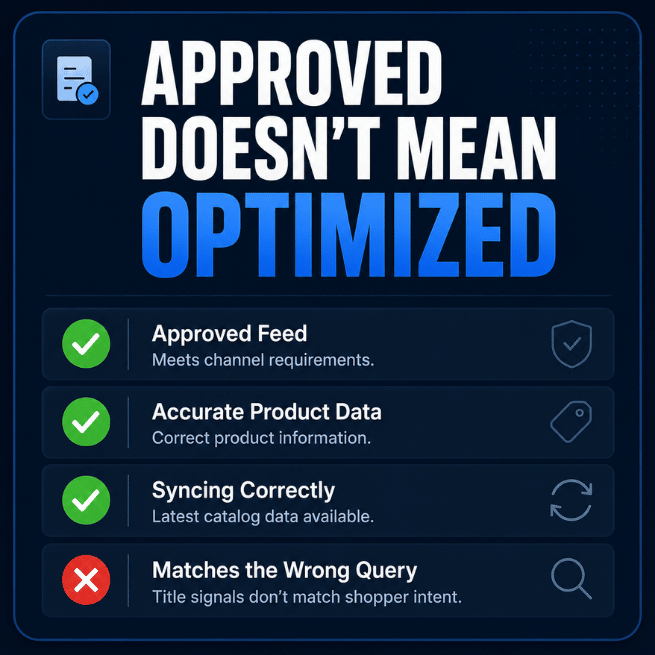
If you run apparel or any large catalog on Shopping or Pmax, it's worth knowing how many of your titles are matching queries you'd never choose to bid on.
[BANNER]
Carlos Rodriguez is a seasoned content marketer with a background in marketing and advertising. Formerly at the helm of his own marketing agency, he now dedicates his expertise to guiding ecommerce merchants and marketers in mastering multichannel strategies. Outside of work, Carlos is an avid reader and hiker, often found traversing the mountain ranges of Cundinamarca like El Quinini.
Run a free feed audit and see which of your titles are matching queries you'd never choose to bid on.

.png)