If an AI agent reaches your product but can't calculate the sales tax for a zip code in Chicago, it won't ask for help. It will move on and buy from your competitor.
The problem isn't your product. It's your integration.
Most online store backends are currently black boxes to Google's Universal Commerce Protocol (UCP), locking out the business agents Google is now using to finalize sales.
Google’s UCP Business Agents don't browse your site. They negotiate with it.
Checkout in AI Mode turns Google from a traffic broker into a transaction layer, allowing Gemini to complete purchases inside its own interface.
But agents won’t do so without permission. Like vampires, they have to be invited in.

That means you have to stop building for browsers and start building for endpoints. How?
By exposing your store’s internal logic from real-time inventory and sales tax to your precise shipping tables as a set of callable, machine-readable facts.
It's an engineering requirement that moves the checkout from your URL to a protocol handshake. By aligning your merchant settings and product data with these underlying UCP requirements, you convert your store’s backend into an AI-ready sales engine.
In traditional ecommerce, your store is "stateless," meaning a user's browser handles the session, and your backend only cares about the data once a "Submit Order" button is clicked.

State Synchronization is the process of maintaining a persistent, identical "truth" between Google’s AI Agent and your POS throughout the entire conversation.
The Business Agent will only initiate a checkout if it can guarantee the Landed Cost instantly.
If the user tells the Agent, "I have a coupon code," and then asks, "What's my total with shipping to Miami?", the State (the contents of the cart, the applied discounts, the shipping destination, etc.) must sync across both systems in real-time.
If the state drifts (meaning Google thinks the item is $50 but your backend says $55) the handshake fails.

So how do you guarantee that agents get it right? You must treat your product feed, shipping, and tax settings as your primary conversion levers.
Achieving stateful transaction readiness requires a dual-track strategy:
Here’s how to get there:
Moving your store into the transaction layer requires your engineering team to open a secured, programmatic door to your backend.
You must first ensure your headless checkout endpoints—specifically Session, Cart Updates, and Order Completions—are fully exposed and UCP-compatible. This allows Google to calculate taxes and shipping in real-time without the latency of a web-scraping redirect.
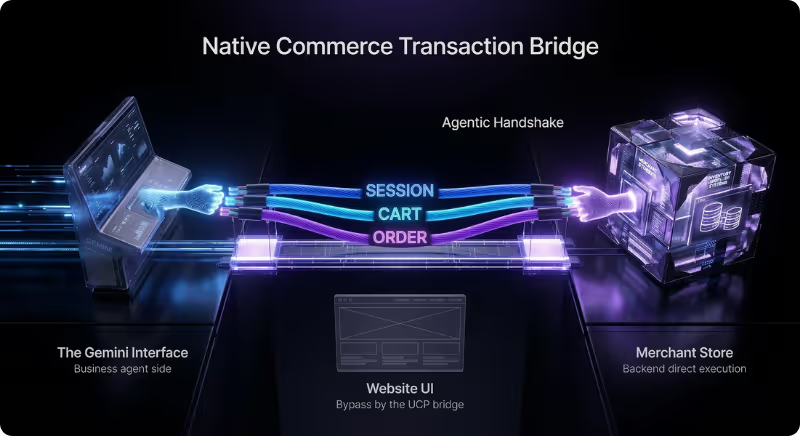
Next, you must authorize the Agent Payments Protocol (AP2) within your payment processor. This step ensures that pre-saved credentials from Google Wallet can flow through the handshake securely.

Finally, audit your operational logic to eliminate "static mirages," which are complex, third-party apps that only calculate costs within a browser session.
If your tax or shipping logic depends on a human being loading a page, it will fail the protocol’s requirement for total cost certainty.
AI Data Readiness “Gold Standard” (Download)
Airtight feed management is what prevents your catalog from becoming a collection of zombie SKUs that garner impressions but never convert.
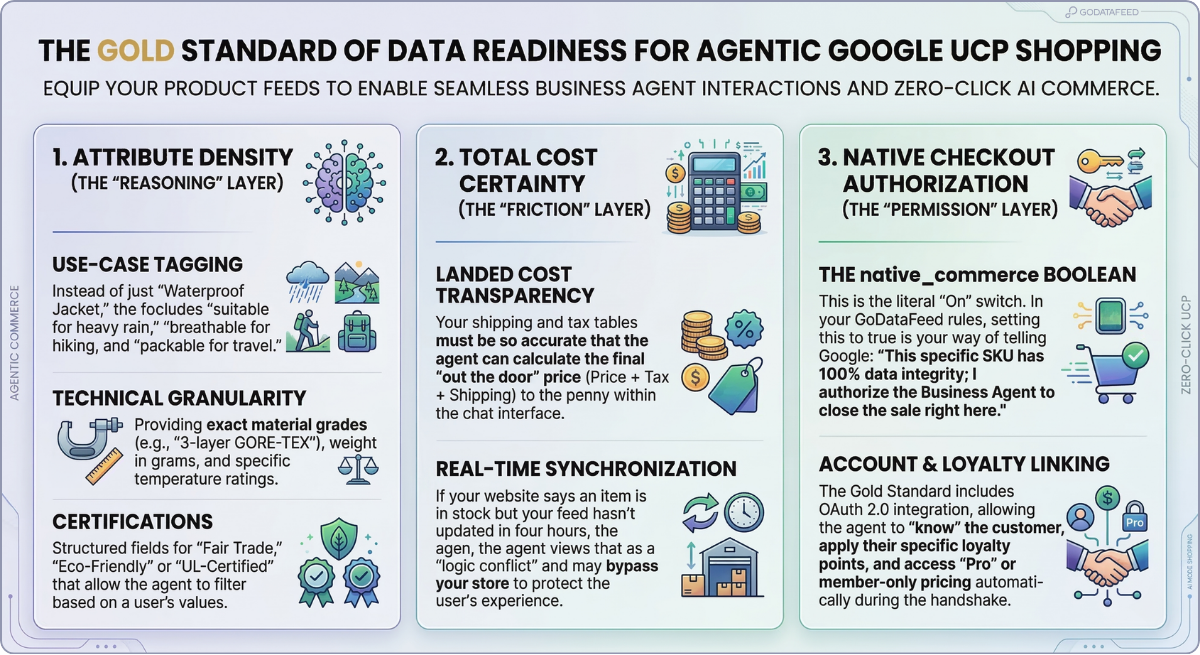
Use GoDataFeed rules to set the native_commerce attribute to true exclusively for SKUs that meet a "Gold Standard" of data completion.
The native_commerce attribute is the gatekeeper for agentic commerce, acting as a safety mechanism that authorizes SKUs for programmatic sale.
But native checkout isn't a global "on" switch for your entire catalog; it's a SKU-level permission.
Implementing the native_commerce attribute in your feed acts as the primary authorization signal to the Universal Commerce Protocol. When this Boolean is set to true, you are signaling to Google that this specific SKU is technically ready for an external agent to build a cart and finalize a payment.
If it is set to false (or left empty/null), the product remains Display Only and visible in search results but locked out of the transactional protocol.
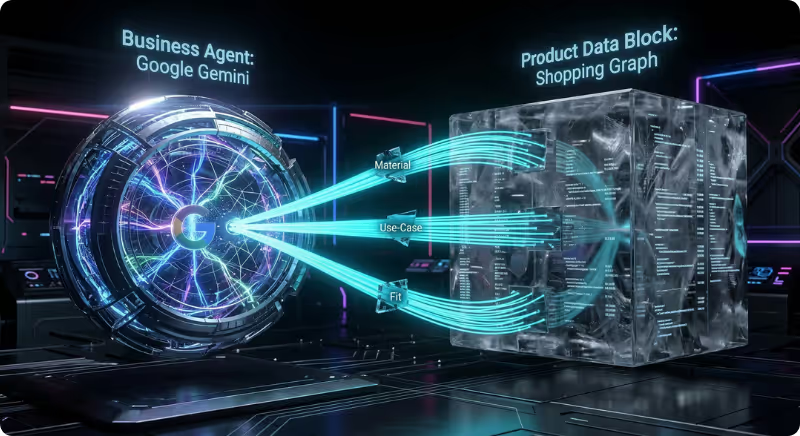
Map your platform-specific fields—like "Material Grade" or "Technical Compatibility"—into the standardized attributes Google’s Retrieval system expects.
This provides the semantic depth the AI Agent needs to choose your product over a competitor during the discovery phase.
Feed your precise shipping and tax tables directly into Merchant Center. This gives the AI Agent the Landed Cost data it needs to finalize the sale immediately.
Taking control through rigorous feed management does more than just enable checkout; it builds Trust Scores within the protocol.
Products that deliver successful handshakes and 100% attribute density are prioritized by Gemini, leading to lower CPAs and higher conversion velocity.
Not every SKU in your warehouse is ready for a "zero-click" sale. Why? Because zero-click readiness requires perfect logic alignment.
If a SKU has variable shipping weights, missing tax attributes, or complex "bundle" dependencies that your API can't resolve instantly, the agent will not complete the handshake to avoid pricing errors.
That’s why strategic, data-mature merchants use GoDataFeed rules to segment their catalog based on attribute density.
Logic-Based Eligibility
Create a rule to set native_commerce to true only for items that have 100% data completion (GTIN, exact weight, and current inventory).
Risk Mitigation
For products with complex shipping requirements (e.g., oversized items or hazardous materials), leave the attribute false to force the shopper back to your website UI where your custom shipping apps can handle the complexity.
Products with thin data profiles often end up zombie SKUs. These are products that the AI can see and recommend but can’t actually buy.
When a Business Agent attempts to initiate a purchase and fails because a required attribute makes the total cost uncalculable, your Trust Score goes down.
Google’s AI Mode prioritizes certainty so if your feed consistently produces failed handshakes, the agent will eventually stop presenting your offers as viable options in favor of competitors with "cleaner" technical data.
Checkout in AI Mode is the difference between a shopper "knowing" about your store and actually "buying" from it.
If your Shopify or BigCommerce data isn't "statefully" synced with the Universal Commerce Protocol, you’ve effectively locked the door to agentic sales.
Don't let technical friction stand between your catalog and a confirmed transaction.
We’re here to help. Book a free strategy session to perform a forensic audit of your data feed and ensure your products are AI-ready.
Bryan is a digital marketer with roots in journalism and creative writing. Over the past decade, he's helped hundreds of online retailers develop and implement ecommerce marketing strategies. When he isn't educating retailers on ecommerce, he's out exploring South Florida and stalking local breweries.
Run a free feed audit and see which of your titles are matching queries you'd never choose to bid on.