How to Increase Sales Online

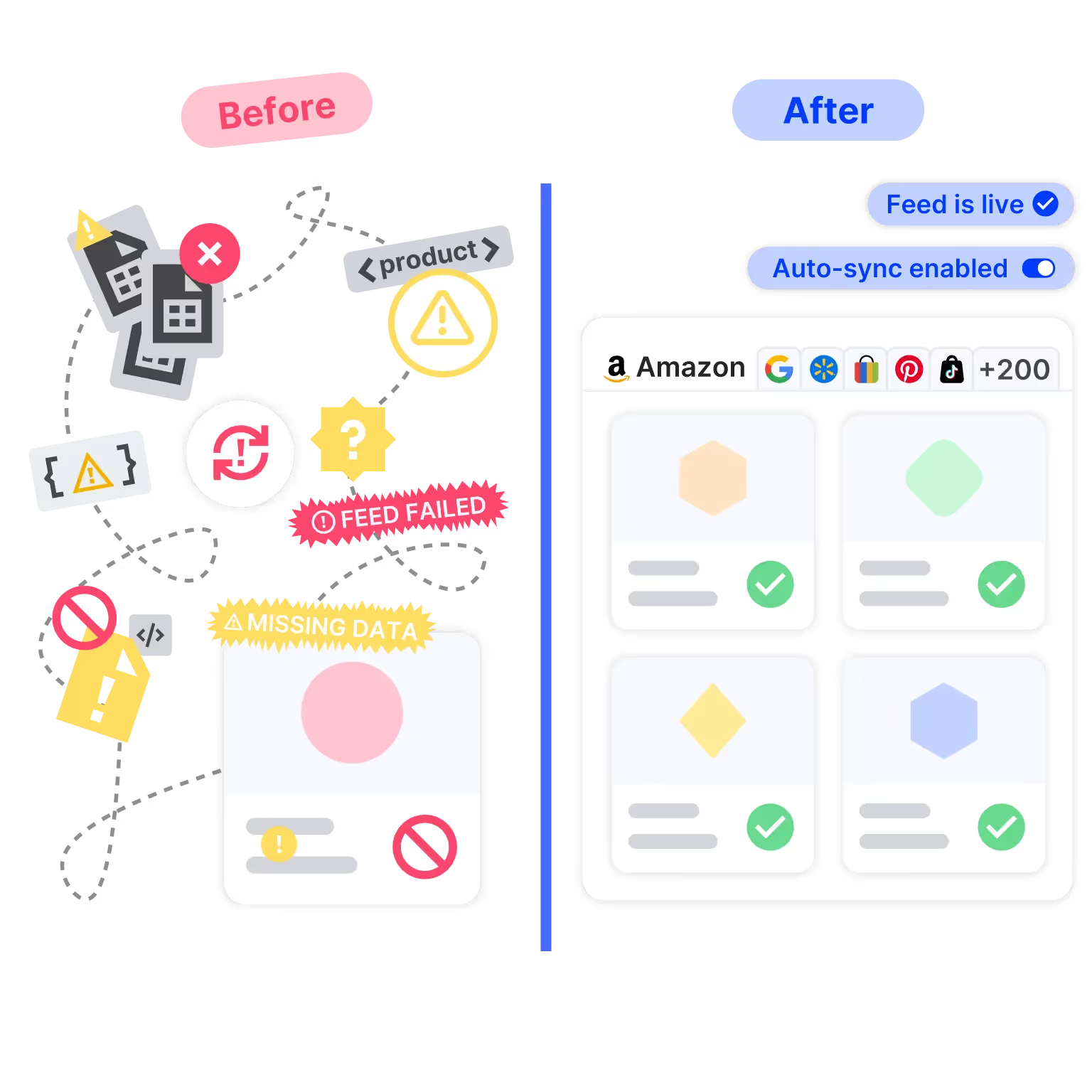
GoDataFeed automates the most tedious aspects of multichannel ecommerce marketing and optimizes your product data to make your job easier and your efforts more effective.

1. Price Mismatch Between Feed and Landing Page? You're Burning Ad Budget

1. Price Mismatch Between Feed and Landing Page? You're Burning Ad Budget

When your feed price doesn’t match what’s on your PDP, Google and Meta throttle delivery or suspend items entirely.

The result?

  • Up to 40% drop in impression share
  • Disapproved Shopping ads
  • CPCs spike as trust score drops

Real-world scenario: a flash promo updates your site price, but your feed only refreshes nightly. Google crawls mid-day → flags mismatch → disapproval. You don’t find out until ROAS tanks.

Fix: Automate delta feeds every 15 minutes with pre-submit validation. Platforms like GoDataFeed make this a non-issue.

Why does Google disapprove my products for price mismatches—even when the price is correct?

When Google or Meta detect that the price in your feed doesn’t match the price on your product landing page, they treat it as a trust violation. They may suspend that SKU, lower its priority, or even halt your entire Shopping or dynamic ad group. For a DTC brand in the $1M–$10M range, that allocation blow can cascade: you lose visibility for your best SKUs, waste budget, and confuse bidding algorithms.

This often happens when promotions, discounts, or flash sales update your website immediately, but your feed refresh runs on a delayed schedule or in batches (say nightly). That mismatch window becomes a blind zone where your best ads are flagged or disapproved before you even know it. Imagine running a big sale Friday evening—your site shows the discount, campaign launches, but your feed is still pushing the old price. Bam: disapprovals, cancellations, lost momentum.

The fix is to automate delta updates (only changed SKUs) at frequent intervals (e.g. every 10–15 minutes), and inject a validation layer that checks your feed vs. landing pages before submission. That way, mismatches get caught offline rather than being penalized. In essence: let your feed engine act as a gatekeeper rather than a helpless messenger.

Banner showing OTRUSA boosting omnichannel sales with Google Local Inventory Ads, featuring tire product ads and a smartphone with a store locator map.

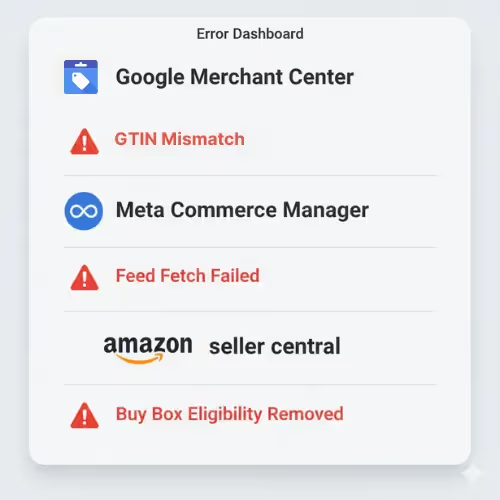
2. GTIN Mismatch, Missing MPN, or Duplicate Product IDs Can Wreck PMax

2. GTIN Mismatch, Missing MPN, or Duplicate Product IDs Can Wreck PMax

Google Shopping and Meta both rely on product identifiers for catalog integrity. One wrong GTIN or a missing “identifier exists” flag? Your entire SKU family can get wiped.

Common triggers:

  • Using placeholder GTINs
  • Incorrect “identifier exists” settings
  • Clones of the same product with reused IDs

This isn’t just a warning—it’s often a product-wide block.

Fix: Map feed logic to dynamically assign correct GTIN/MPN values based on product type. Enforce validation rules at ingestion, not after rejection.

What happens when your GTINs, MPNs, or product IDs don’t match up across platforms?

Google’s Performance Max campaigns (and Meta’s catalog-based ads) depend heavily on correct product identifiers—GTINs, MPNs, and settings like identifier_exists. Mistakes here can make your product “invisible” or lead to product-wide suspension. Worse, misassigning IDs can confuse the system about your product’s family and category, making your ads under-deliver or be rejected entirely.

One common pitfall: using placeholder GTINs (like “000000”) just to pass validation. That might work temporarily, but once Google reviews your listing or matches it against existing catalogs, it triggers mismatch flags. Similarly, duplicate IDs across variants or conflicting IDs in merged feeds create chaotic attribution and eligibility errors. It’s like assigning the wrong Social Security number to your product—chaos ensues.

To prevent this, build mapping logic in your feed engine to dynamically resolve or override identifiers based on product type and sourcing. Use conditional rules (e.g. “if no GTIN then pull from supplier feed”) or skip problematic SKUs until you can correct them. A robust feed management engine should let you enforce these rules up front so your campaigns don’t get penalized downstream.

3. Robots.txt Blocking, Crawl Failures, and Landing Page Errors Kill Trust Fast

3. Robots.txt Blocking, Crawl Failures, and Landing Page Errors Kill Trust Fast

GMC or Meta can't validate your listings if they can’t crawl them.

Common triggers:

  • Staging site URLs left active
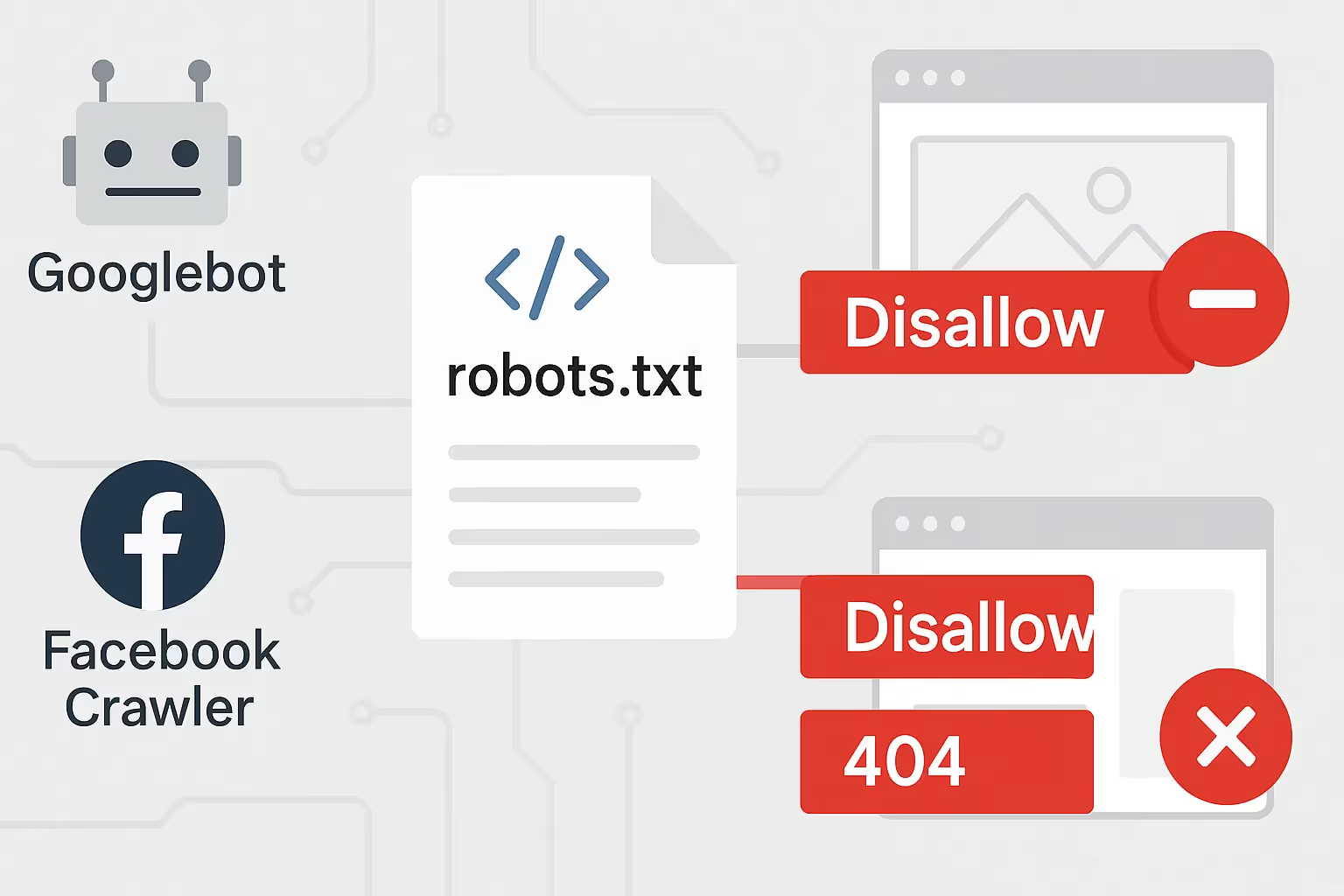
  • robots.txt disallowing Googlebot or facebookexternalhit
  • Broken PDPs with dynamic query strings

Each failed fetch damages account trust. Over time, this reduces ad delivery—even for your clean listings.

Fix: Set up feed monitoring alerts tied to fetch success, and whitelist all crawler bots across domains.

Can a robots.txt file or broken PDP really tank my entire product feed?

Even if your feed is perfect, platforms like Google Merchant Center and Meta need to crawl your landing pages to verify pricing, availability, and page quality. If they can’t fetch your page—because your robots.txt is blocking them or the URL is broken—they mark your listings as invalid. Over time, repeated failed fetches reduce your trust score, which hurts all your listings, not just the ones with errors.

This often happens by accident: staging subdomains left live, wildcard blocks in robots.txt, or CMS updates that accidentally block query parameters. Developers push new site versions, forget to re-enable bot access, and your feed team gets the blame when ads stop delivering. Meanwhile, tests look fine internally because your humans are logged in or bypassing blocks.

To solve this, you must log every fetch attempt and flag failures in real-time. Whitelist core crawler bots (Googlebot, facebookexternalhit, etc.), build synthetic requests periodically to every landing page URL and monitor HTTP status, and integrate those flags into your feed engine. That way, you catch platform-access errors before they become feed disapprovals.

4. Meta Catalog Sync Fails? You're Not Advertising—You’re Guessing

4. Meta Catalog Sync Fails? You're Not Advertising—You’re Guessing

“Data source not syncing.”

“Missing required field: description.”

“Failed to fetch feed from server.”

If your Meta catalog breaks, your Advantage+ campaigns are flying blind. No signals, no relevance, no conversions.

And worse—manual fixes can take hours to reflect.

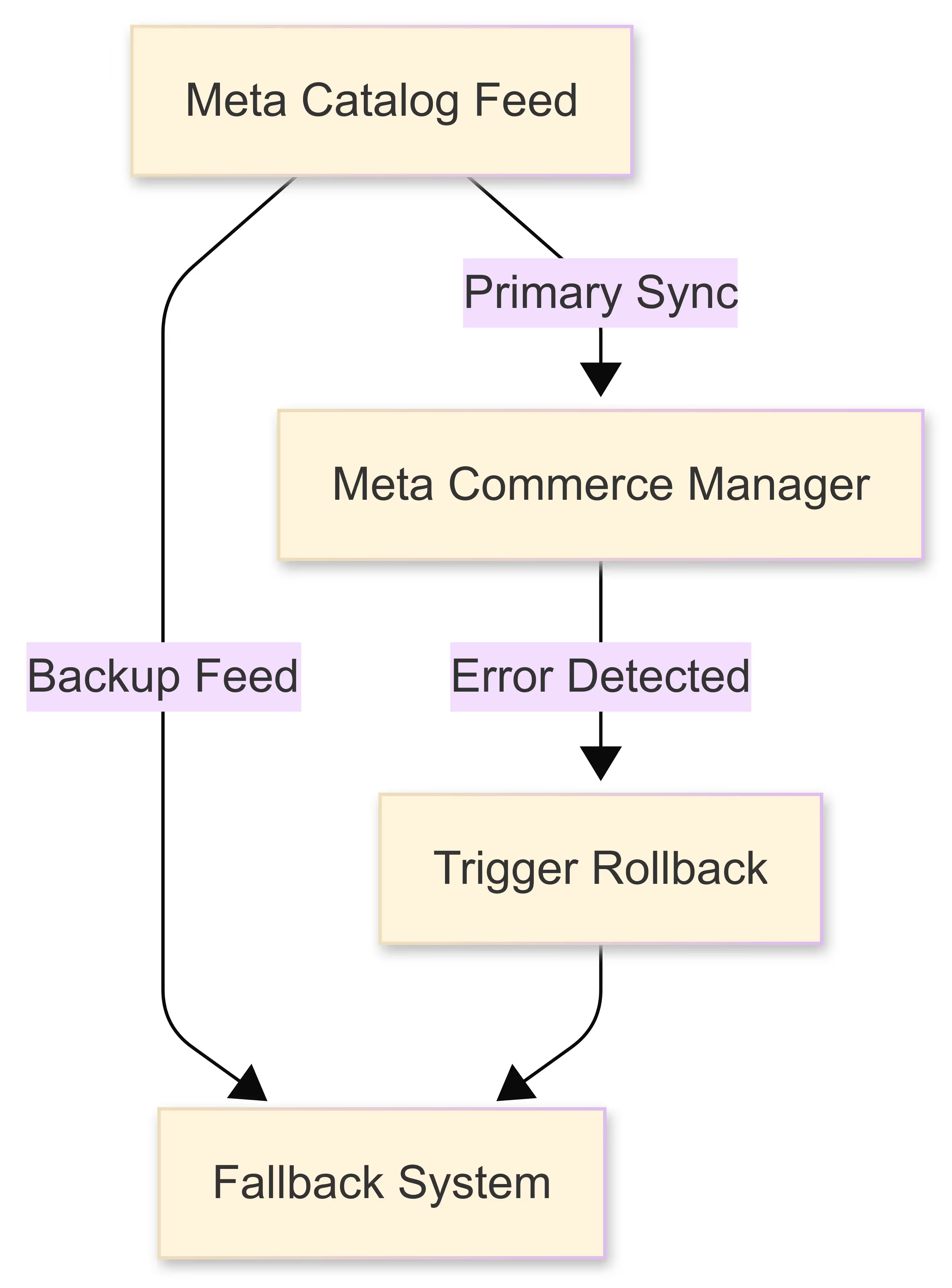
Fix: Use rule-based overrides and backup syncs with rollback capability. Sync status should never be a surprise.

Why do Meta Commerce Manager sync failures cripple your dynamic ad performance?

Your Meta (Facebook/Instagram) catalog is the backbone of dynamic ads, Advantage+ campaigns, and personalization strategies. When sync fails—“data source not syncing,” “missing required field: description,” or “failed to fetch feed”—it immediately breaks your ability to deliver catalog-based ads. Without reliable data, your campaigns run blind, mismatching creatives, empty slots, or stale content.

For example, you may push a seasonal promotion or new drop, but if your catalog fails to ingest the updated descriptions, prices, or inventory, your ads may show old or incorrect data. That leads to broken user experiences, high bounce rates, and ultimately, platform penalization. Your ad engine still spends budget—but it’s sending audiences to bad content.

The remedy: institute a dual-sync safety net. Use primary API or scheduled feed uploads and a backup feed source. Track sync status (success vs. failure) on every cycle and trigger rollback or alert logic if anomalies appear. The moment one feed fails, the system auto-falls back seamlessly so your catalog never goes “dark.”

Banner showing OTRUSA boosting omnichannel sales with Google Local Inventory Ads, featuring tire product ads and a smartphone with a store locator map.

See it in action for yourself

Start your 14-day trial or reserve a demo to get a complimentary feed setup.